
Reporting content or behavior
Updated Aug 9, 2026
Reports go to SigmaChat staff, not to board admins. The person you report is not told who reported them.
Reporting a message
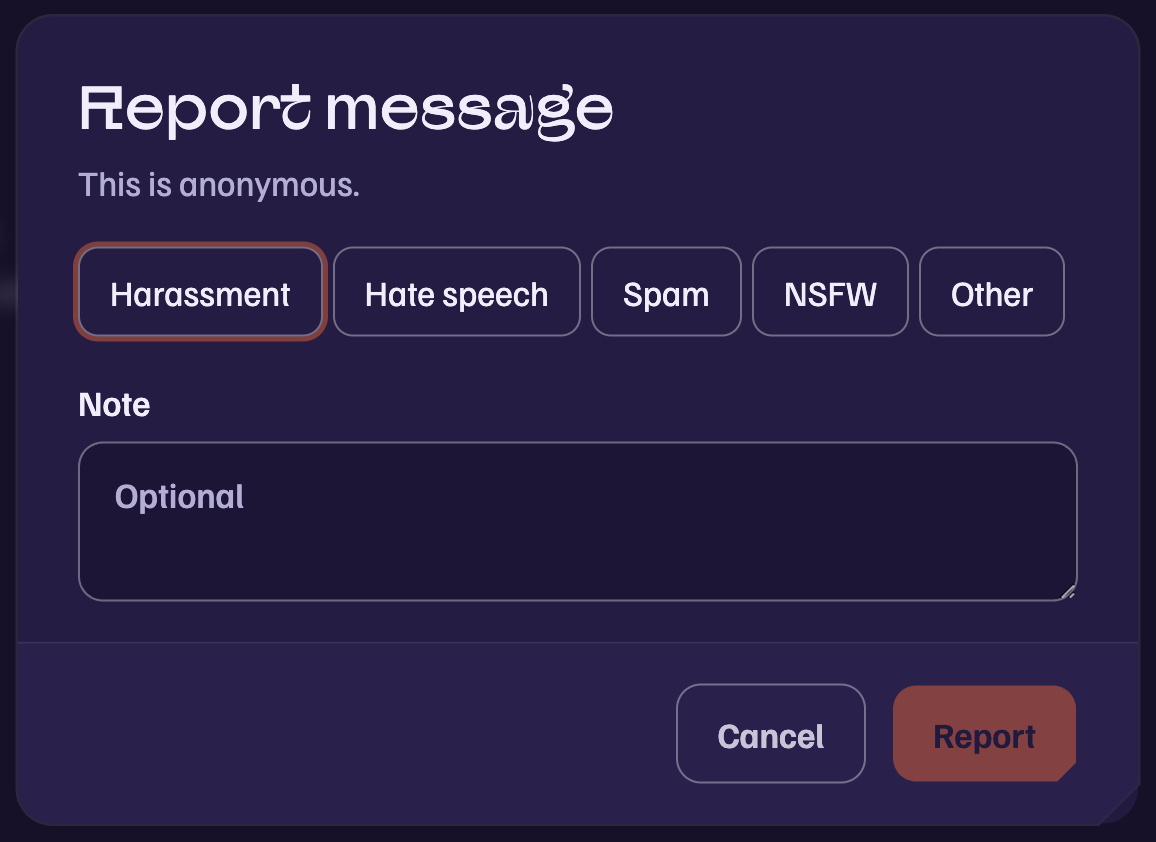
Open the message’s menu with the three dots and choose Report message. Pick a category and add a note if it helps. The report carries a frozen copy of the message and its surroundings, so it stays reviewable even if the author deletes it.
Reporting a person
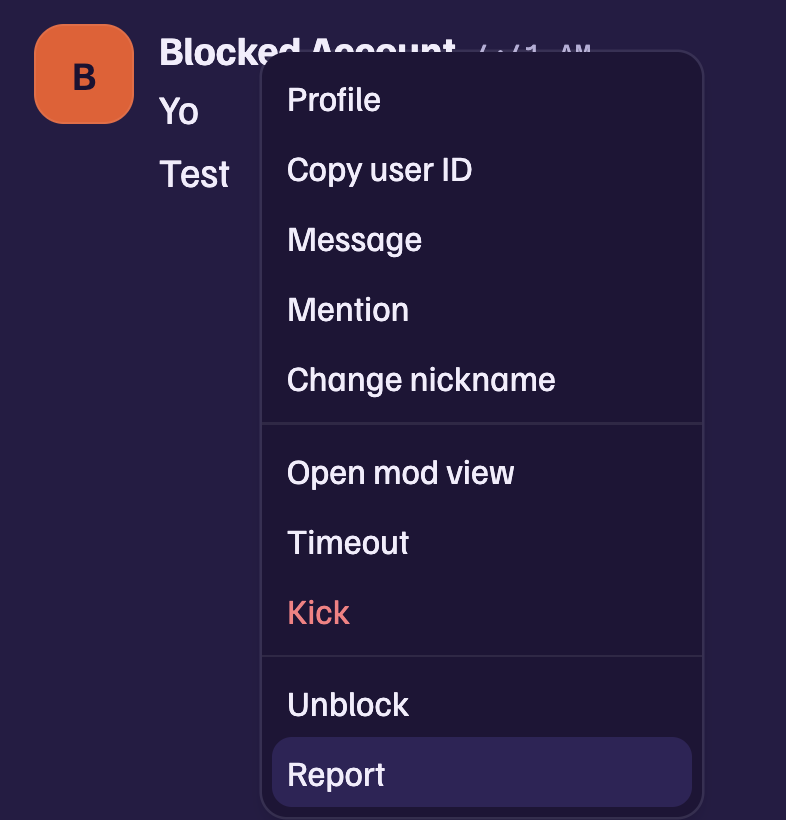
Right-click them in the member list or on a message and choose Report. This includes their recent messages from boards you share.
Useful links
Right-click a message for Copy link, or Copy media link for an attachment. A profile card has Copy user ID. Paste any of these into a report to point staff at exactly the right thing.
Reporting without an account
Anyone can file a report at sigmachat.org/report, with or without an account. The form has flows for reporting a user, a message, a piece of media, and for removal requests under the Take It Down Act covering intimate imagery shared without consent. Take It Down requests are reviewed within 48 hours.
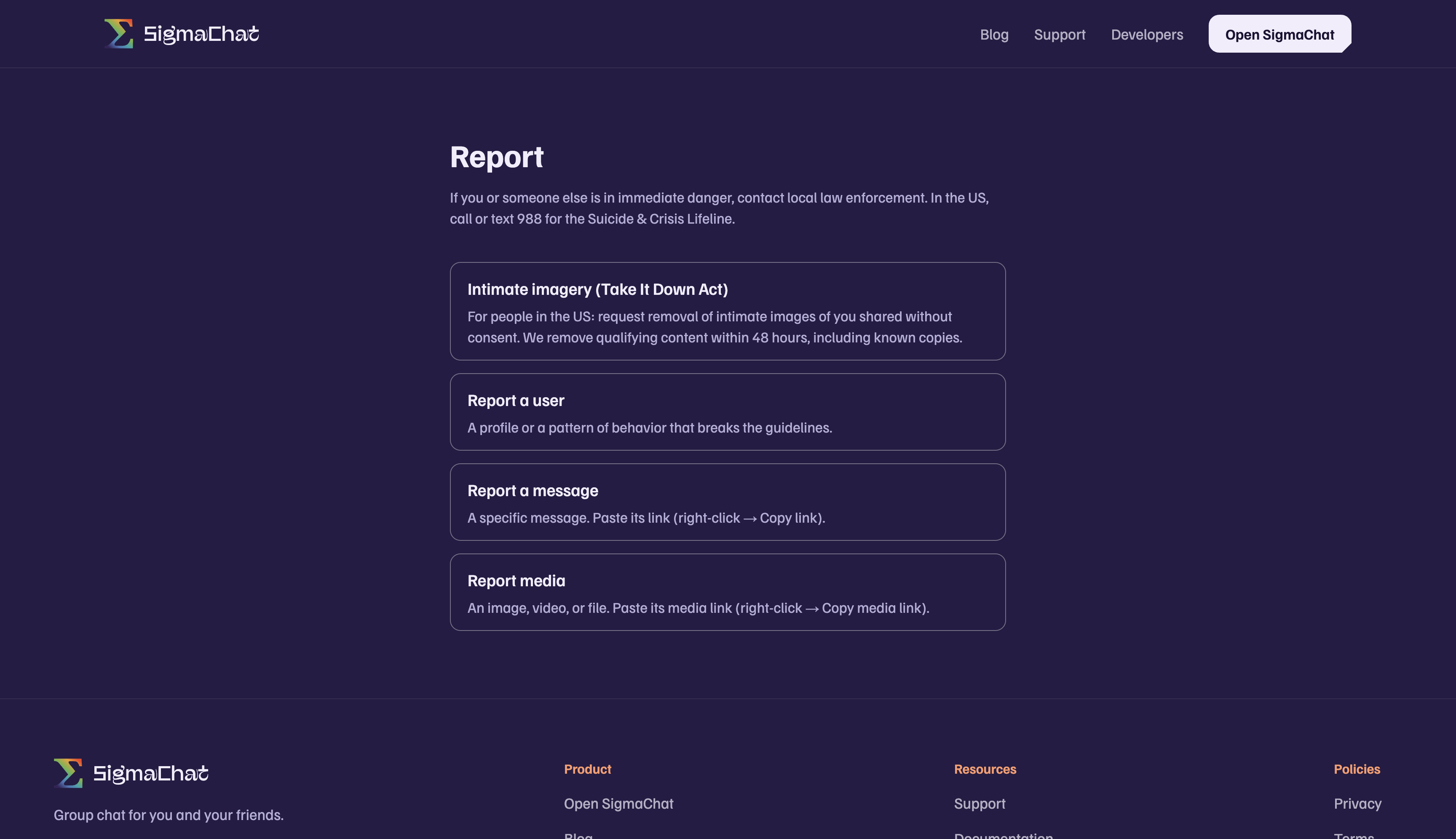
Every public report gets a reference code by email. Keep it; it identifies your case in any follow-up.
What happens next
Staff review the report, act on the content and the account as needed, and, for public reports, email the outcome to the address you gave.
Was this article helpful?