
Notifications and push
Updated Aug 9, 2026
Notifications arrive in the bell at the top of the sidebar. Opening a board marks its notifications read.
What pings you
Settings, then Notifications, has global switches for mentions, DMs, and invites. These decide what is allowed to notify you at all.
Per-board levels
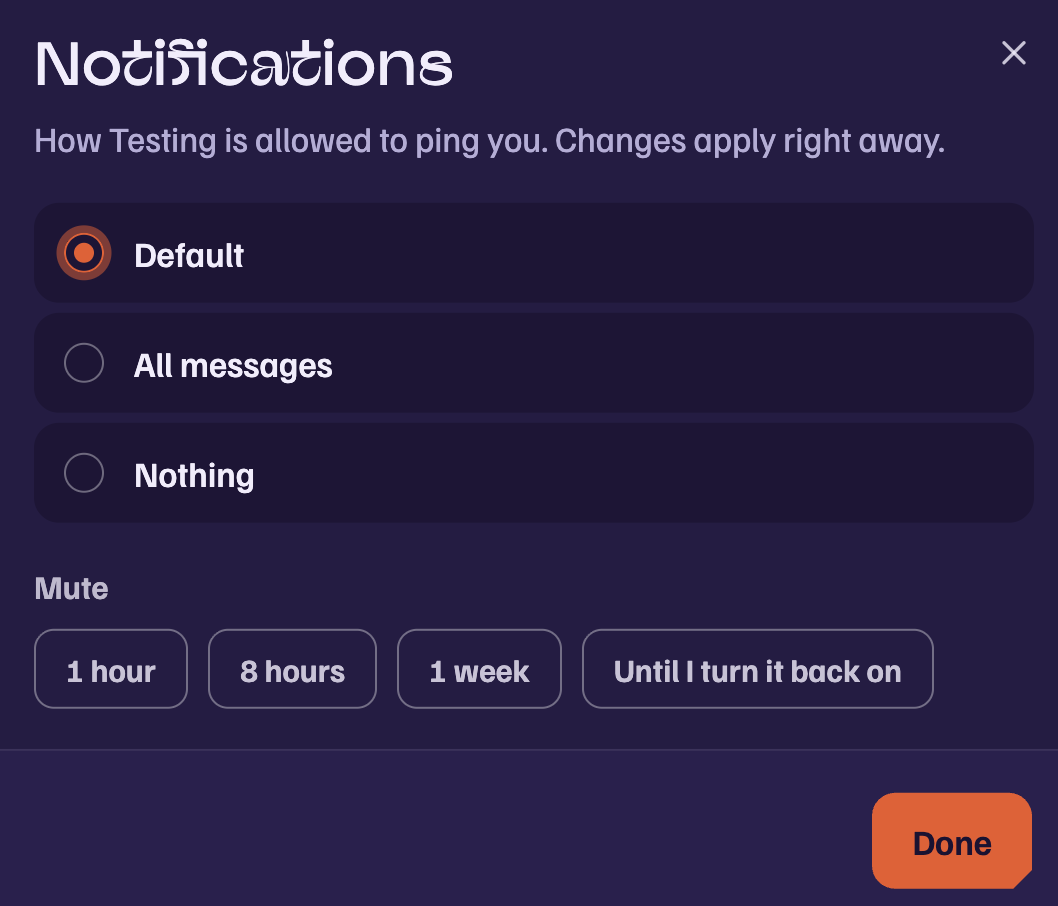
Each board also has its own level, set from the board menu under Notifications:
- Default: mentions and DMs, following your global switches.
- Everything: every message in the board.
- None: nothing from this board. This is the mute.
Browser push
Push notifications are enabled per device in Settings, then Notifications. If a SigmaChat tab is open and showing the board, the tab handles it and no push is sent. Push arrives only when nothing you have open is already showing that board.
On iPhone, Safari only allows push for installed apps, so add SigmaChat to your Home Screen first.
Warnings
Moderation warnings are separate from all of this and always show, in the app and by email, until acknowledged.
Was this article helpful?